All about Fire Extinguishers in Nepal
January 20th 2026

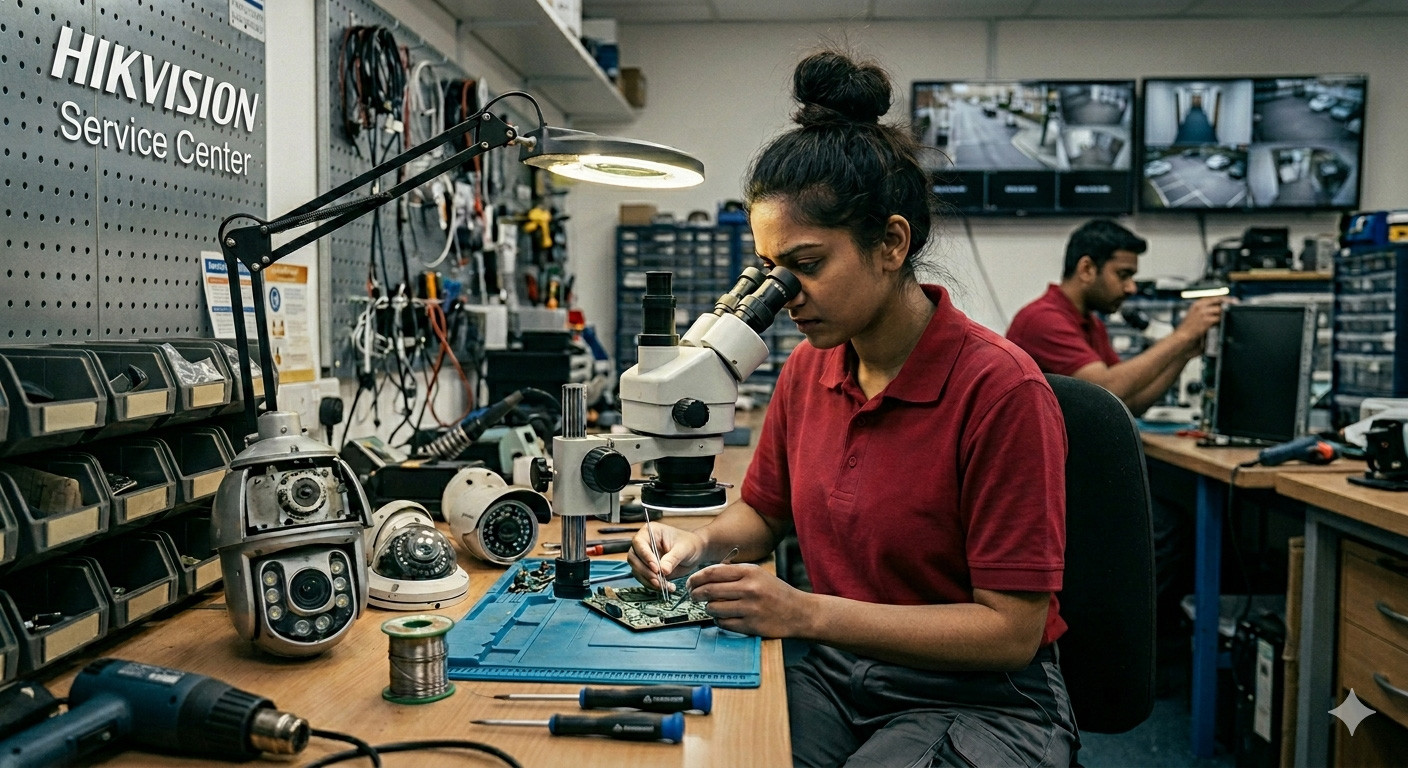
We provide after sales service on hikvision CCTV Camera, Hikvision NVR, Hikvision POE Switches, Hikvision Access Control System, Hikvision full range of Products in Nepal. We are 11+ years experienced team and service system on Hikvision branded Products in Nepal. If you have faced problems on your installed CCTV Cameras & Hikvision Products we can provide you the solutions.
We repair HIKVISION PTZ Camera, HIK VISION NVR, HIKVISION IP Cameras, HIKVISION Access Control Devices, Hikvision HD Cameras, HIKVISION Time Attendance Devices and all. We have established our service center for Hikvision CCTV Cameras & All other major CCTV Cameras brands in Nepal.
We also provide you the best price of HIKVISION Products Segments in Nepal. We are the best security system installers in Nepal. We provide multi brand integration, multi brand installations as per your desired brands.
Repairing CCTV systems involves a combination of physical hardware diagnostics and network-level software configuration.
Video Security Tester: A handheld monitor that supports HD-TVI, AHD, and IP inputs to test camera feeds directly at the pole or ceiling without running back to the NVR.
Precision Toolset: Hikvision dome cameras often use specialized Torx (star) screws for tamper resistance.
POE Injector & Spare Patch Cables: To isolate whether a "dead" camera is a power failure, a cable break, or a faulty internal circuit.
BNC Crimping Tools & Connectors: For older Turbo HD (Analog) systems where signal loss is often caused by oxidized connectors.
To configure or repair the "brain" of your system, these official Hikvision utilities are mandatory:
SADP Tool (Search Active Device Protocol): The primary tool for finding devices on a network.
HiTools Delivery (The 2026 Standard): Note: As of April 2026, Hikvision has transitioned from the classic SADP to HiTools Delivery.
Batch Configuration Tool: Ideal for large-scale deployments where you need to update firmware or change settings on 50+ cameras simultaneously.
IVMS-4200: The desktop client software used for local monitoring and deep-level NVR storage management.
Forgetting an admin password used to mean sending the unit back to the factory. In 2026, the process is handled via the XML Export/Import method:
1. Export: Open the SADP/HiTools utility, select the locked device, and click "Forgot Password." Export the generated XML Request File.
2. Verify: Send this file to an authorized distributor (like First Aid Nepal). They verify ownership and interface with Hikvision’s secure server.
3. Import: You will receive a Response File. Import this into the tool, set a new password, and your device is instantly unlocked without data loss.
First Aid Nepal: Standard Service Process
As a leading security provider in Nepal, First Aid Nepal has developed a standardized "First Aid" protocol for Hikvision maintenance. This ensures that whether you are in Kathmandu or a remote district, your security remains uninterrupted.
The Service Journey
Initial Diagnostic: Technicians use high-end network analyzers to determine if the issue is a hardware failure, a software glitch, or a networking bottleneck. Certified Firmware Patching: Unlike "freelance" fixes, First Aid Nepal uses verified, region-specific Hikvision firmware to avoid "bricking" your device with incorrect global versions.
Doorstep Technical Support: Recognizing that security cannot wait, they dispatch technicians directly to your location for on-site repairs, mounting adjustments, and cable testing.
Authorized Password Recovery: As a trusted partner, they provide the official bridge to Hikvision’s technical team for rapid, secure password resets that follow global cybersecurity standards.
Expert Tip: To avoid future lockouts, First Aid Nepal recommends linking your Hikvision devices to Hik-Connect. This allows for "one-tap" password resets through your registered email or phone number, bypassing the need for XML exports entirely.
Need professional help with your CCTV?
If your cameras are offline or you're locked out of your NVR, don't risk a factory reset that might wipe your recordings.
Contact First Aid Nepal:
Location: Hanumansthan-10, Kupundole, Lalitpur
Technical Support: info@firstaidnepal.com
Service: 24/7 Technical Support for security emergencies.
Managing a Hikvision surveillance system requires a mix of networking knowledge and specific software literacy. Here is a definitive FAQ covering the most critical technical hurdles users face, from password lockouts to network optimization.
You must use the SADP Tool or HiTools Delivery to export a .xml request file.
Select the device in the tool and click "Forgot Password."
Export the XML file and email it to your authorized distributor or Dealers (e.g., First Aid Nepal).
They will provide a response file which you import back into the tool to set a new password.
Important: Do not turn off the device or close the tool between exporting and importing, or the security key will expire.
Most modern Hikvision IP cameras and NVRs do not have a physical reset button for security reasons. Older models or specific "easy-mount" series may have a small button near the SD card slot. If present, hold it for 15 seconds while powering the device on to restore factory defaults.
SADP (Search Active Device Protocol) is a free utility that detects all Hikvision devices on your local network, even if they are on a different IP subnet. It is the primary way to "Activate" a new camera and assign it an initial IP address.
An IP conflict occurs when two devices on the same network are assigned the same address (e.g., two cameras both set to 192.168.1.64).
The Fix: Open SADP, locate the conflicting device, and change the last digit of its IP address to a unique number (e.g., 192.168.1.65).
Pro Tip: Enable DHCP in SADP to let your router assign a unique address automatically.
This is usually a Subnet Mismatch. If your computer is on 192.168.1.X and your camera is on the factory default 192.168.0.64, they cannot "talk." Use SADP to change the camera's IP to match your computer’s gateway (usually 192.168.1.1).
Hikvision devices no longer come with a default password (like "12345"). When you first plug it in, it is "Inactive." You must use SADP or an NVR to create a strong password before the device will function.
7. How do I check for an IP Conflict without software?You can use the Command Prompt on a Windows PC:
Type ping [IP Address] (e.g., ping 192.168.1.64).
If you get a reply, a device is already using that address.
Unplug your camera and ping again. If you still get a reply, another device (like a printer or phone) is causing the conflict.
H.265+ is a high-efficiency compression codec. Enabling this in your Hikvision settings can reduce your bandwidth usage and storage requirements by up to 70-80% without losing image quality.
This is an Exception Alarm. Usually, it indicates one of three things:
HDD Error: The hard drive is uninitialized or failing.
IP Conflict: A network error is detected.
Record Exception: The NVR is not currently saving footage. You can disable these sounds in the NVR Menu under Configuration > Exception.
Firmware should be updated if you encounter bugs or need to patch security vulnerabilities. Warning: Never update firmware over Wi-Fi. Always use a stable, wired Ethernet connection to prevent "bricking" the device during the write process.
Professional maintenance requires a blend of the right software and reliable hardware:
· HiTools Delivery: The modern dashboard for finding devices, bulk updates, and password recovery.
· SADP Tool: The classic utility for quick IP configuration.
· Physical Kit: Video testers, POE injectors, and Torx drivers for secure housings.
If you are locked out, use HiTools to export a Request XML file. Send this to First Aid Nepal. They interface with the secure Hikvision server to provide a Response File that unlocks your device instantly.
As a leading provider in Nepal, First Aid Nepal follows a strict 'Diagnostic-First' protocol:
1. Deep Signal Analysis: Identifying if issues are hardware, software, or network-based.
2. Region-Specific Firmware: Ensuring your device isn't 'bricked' by incorrect global patches.
3. On-Site Support: Doorstep technicians available across Kathmandu and beyond for physical repairs.
1. How do I fix an IP Conflict?
Open SADP/HiTools, find the conflicting camera, and change the last digit of the IP address to a unique number.
2. Why is my NVR beeping constantly?
This is an 'Exception Alarm.' Check the NVR menu to see if the Hard Drive needs initialization or if a camera has disconnected.
3. What is H.265+?
It's a compression tech that allows you to store up to 4 times more footage on the same hard drive without losing quality.
4. Can I reset my password via a button?
Most modern units don't have a button for security. You must use the XML Export method via software.
5. How often should I update firmware?
Only when necessary for security patches or bugs. Always use a wired Ethernet connection for updates.
Provided by First Aid Nepal | Hanumansthan-10, Lalitpur | info@firstaidnepal.com
Expert Advice:
Professional Support and Expert Advice
Working with a trusted partner gives you access to real human experts who know how to calibrate your system for maximum clarity. Instead of struggling with DIY troubleshooting, you get dedicated support and professional installation, ensuring every blind spot is covered and your surveillance system operates exactly as it was intended.
First Aid Nepal Pvt.Ltd.
Managing Director : Surya Poudel.
January 20th 2026

January 20th 2026



Quick and delivery of innovative fire safety and electronic security solutions for better convenience and additional assurance

Delivery and installation of security products before payment for trust and customer satisfaction

24/7 technical support from security experts to solve all your queries, concerns, and curiosities